

 Jinba Flow
 Jinba App
 Jinba Toolbox
What is the Marketplace
The Marketplace allows you to install standard MCPs that are ready to use. You can start integrating with various external services without the hassle of setting up your own MCP.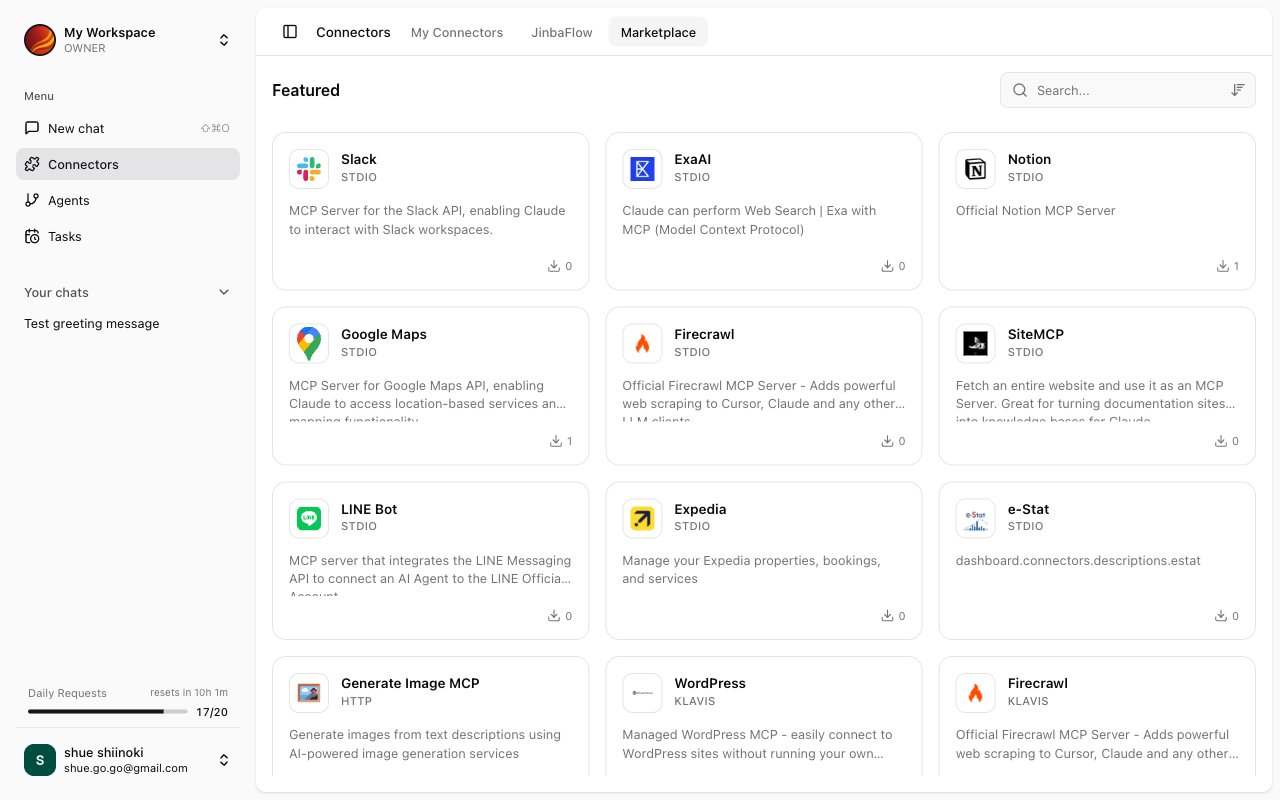
Standard MCP List
The following standard MCPs are available for installation in Jinba App.MCPs via Klavis
Additional MCPs are available through the Klavis platform.How to Install MCPs
1
Open the Connectors Screen
Select “Connectors” from the side menu.
2
Select the Marketplace Tab
Click the “Marketplace” tab to view available MCPs. You can search them and sort by “Default” or “Most installed”.
3
Select an MCP
Click on the MCP card you want to install.
4
Enter Settings
Enter the required settings (such as API keys). For standard MCPs, many fields are pre-configured.
5
Complete Installation
Click the “Install” button to install the MCP.
MCPs via Klavis may require OAuth authentication with external services.
Organization administrators can restrict which connectors are available. If an MCP listed above is not shown in your Marketplace, it has been restricted for your organization.
Related Pages
My Connectors
Managing installed connectors
Jinba Flow Connectors
Connecting Jinba Flow connectors