

 Jinba Flow
 Jinba App
 Jinba Toolbox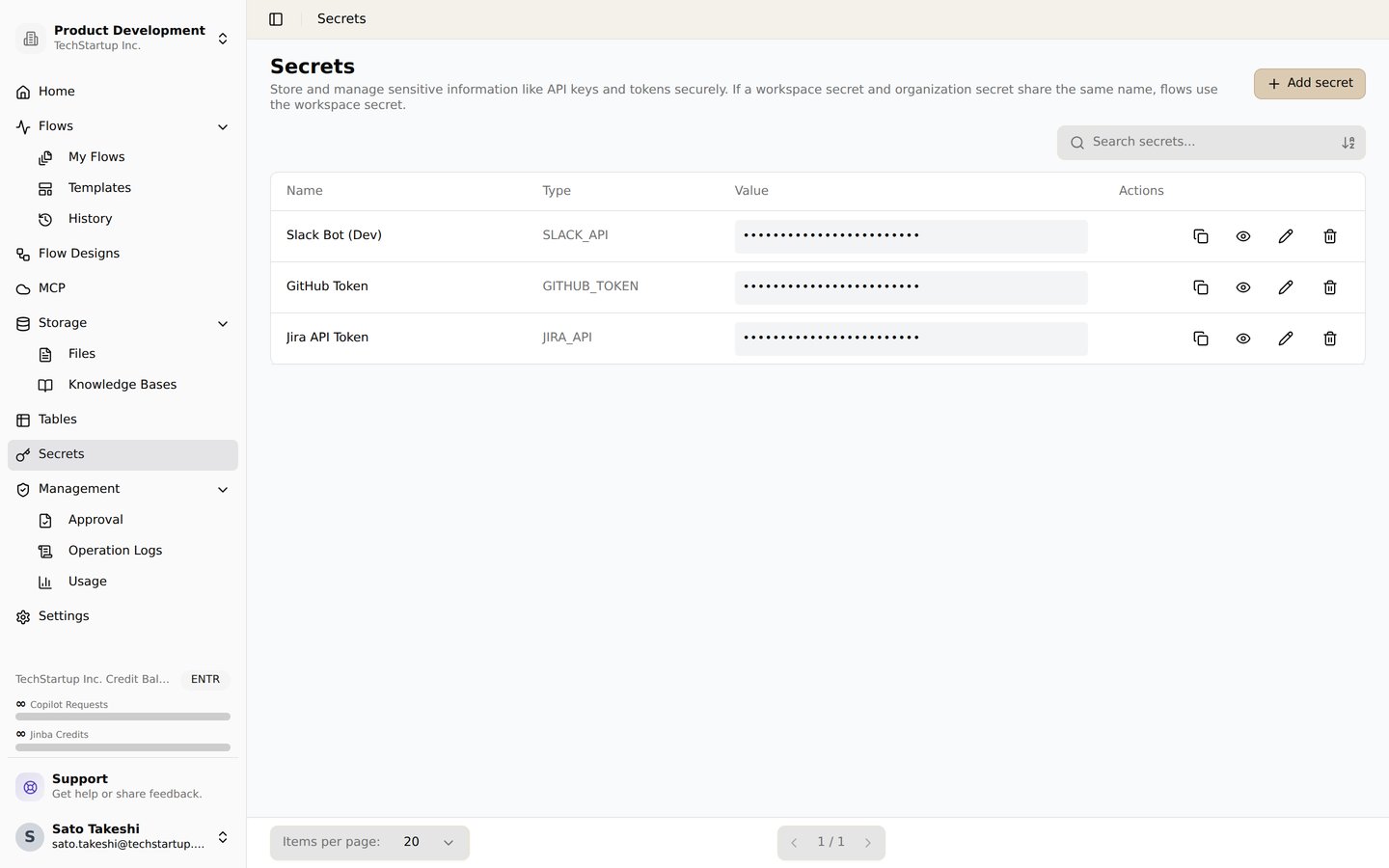
The secrets screen. Store API keys and tokens securely and reference them from flows
Choose a credential guide by service
AI Services
Configure credentials for AI and language model services:- Anthropic - Claude API integration for advanced AI capabilities
- OpenAI - GPT models and OpenAI services integration
- Llama - Local and cloud Llama models integration
- Gemini - Google Gemini AI integration
- Grok - xAI Grok integration
Communication Platforms
Set up integrations with messaging and collaboration platforms:- Slack - Slack workspace integration for team communication
- Discord - Discord bot integration for community engagement
- LINE - LINE messaging platform integration
- Intercom - Intercom access token for messaging and customer events
- Chatwork - Chatwork collaboration tool integration
- Twilio - Twilio credentials for SMS/WhatsApp messaging
Productivity Tools
Connect with productivity and workflow management tools:- Jira - Jira Cloud API token for issue and project management
- Notion - Notion workspace integration for knowledge management
- Google OAuth - Google services integration (Gmail, Sheets, Calendar, etc.)
- Microsoft OAuth - Microsoft services integration (Outlook Mail, Calendar, etc.)
- GitHub - GitHub integration for repository management and automation
- SmartHR - SmartHR API credentials for employee (crew) management
- HubSpot - HubSpot access token for CRM contact management
E-commerce Platforms
Integrate with e-commerce and marketplace platforms:AI/ML Services
Configure credentials for specialized AI and ML services:Configure and test a credential
Follow these general steps to configure credentials for any service:- Navigate to your workspace settings in Jinba Flow
- Go to the “Credentials” or “Secrets” section
- Select the service you want to configure from the list
- Follow the specific instructions provided in each service’s documentation page
- Enter your API key, OAuth credentials, or other required information
- Test the connection to ensure it’s working properly
- Save your credentials securely
Security Best Practices
- Never share your API keys - Keep your credentials private and secure
- Use environment variables - For production deployments, consider using secure environment variable storage
- Rotate keys regularly - Periodically update your API keys for enhanced security
- Review access permissions - Regularly audit which services have access to your credentials
- Use OAuth when available - OAuth provides more secure authentication than API keys for supported services
Need Help?
If you encounter issues setting up credentials:- Check the specific service’s documentation page for detailed instructions
- Verify that your API keys are valid and have the correct permissions
- Ensure your workspace has the necessary permissions to access external services
- Contact support if you need additional assistance