

 Jinba Flow
 Jinba App
 Jinba Toolbox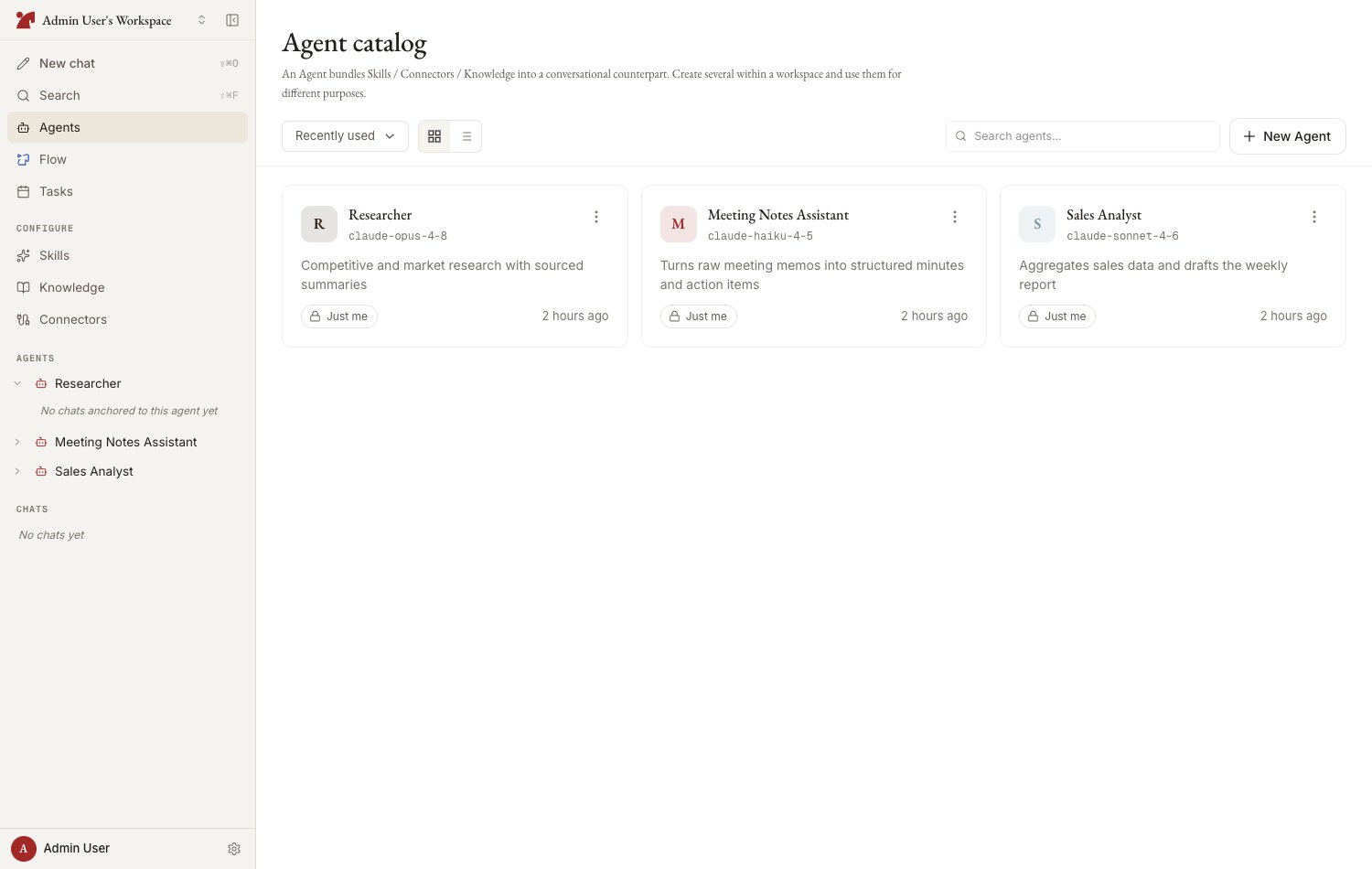
What an agent has
Agent list
Open the workspace’s agent catalog — headed “Agents” — from the sidebar’s “Agents” entry.- View toggle — grid / list
- Sort — recently used / creation date / name
- Search — filter by name
- Pinning — the pin toggle beside each row’s or card’s ”…” menu pins a frequently used agent for quick access from the sidebar; the icon stays filled while it is pinned. “Pinned first” puts pinned agents at the top of the catalog
Agent detail page
Selecting an agent opens its detail page — a chat surface for that agent where you start new chats and revisit past ones. Press the gear icon in the header to open the configuration panel on the right (it can be resized by dragging its edge), organized into sections:
The
‹ chevron beside the agent’s name always goes up to the agent catalog, whichever screen you arrived from — use your browser’s back button to retrace your steps instead.
Each section card shows a count and a short preview of what is attached. Click the card header (“Manage” / “Edit”) to open the section, or click a preview row to jump straight to that item. The panel state — which section and item you have open — is reflected in the page URL, so it survives reloads and can be shared with teammates as a link.
Permissions
- An agent’s settings can be changed by its creator, a workspace owner, or members granted “Edit too” permission when the agent was shared
- Members with “Use only” permission can chat with the agent but cannot change its settings
Next steps
Create an agent
Setting the name, model, and system prompt — with auto-generation
Attach resources
How to attach skills, connectors, and knowledge
Share
Configuring sharing scope and permissions
Operate and manage
Version history, archiving, and deletion